
Create a camping gear inventory spreadsheet by listing each item, recording its quantity, condition, storage location, and trip status, then adding filters and simple checks. Start with one main inventory sheet, test it against your gear, and update it after trips. A clear inventory helps you pack consistently, spot missing or damaged items, and avoid buying duplicates.
1. Choose a simple spreadsheet structure
Use a spreadsheet app you can access while planning and packing. Create one workbook with a main inventory tab. Add separate tabs only when they solve a real problem, such as tracking shared family gear or recording trip-specific packing lists. Too many tabs can make an inventory harder to maintain.
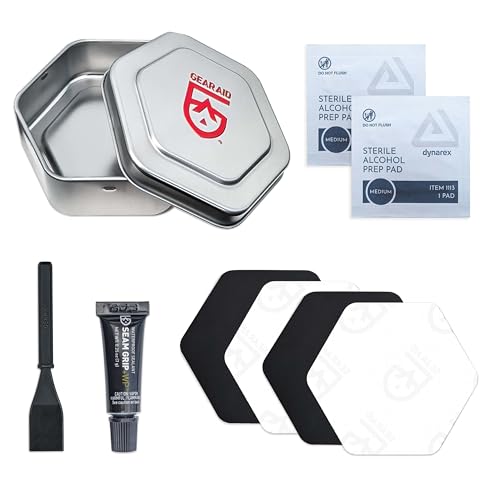
Keep one row for each distinct item or kit. For example, list a sleeping pad as one row if all pads are interchangeable. Use separate rows if models, sizes, or condition differ. For a repair kit or first-aid kit, record the kit as one item and add a contents tab only if you need to monitor individual components or expiration dates.
2. Add useful inventory columns
Start with columns that answer practical questions: What is it? How many are available? Where is it? Is it ready to pack? Add detail only when it supports a decision. These fields work for general camping gear, including storage and comfort items such as sleeping bags, pads, camp chairs, pillows, lanterns, and organizers.
- Item: Use a clear name, such as “two-person tent” or “foam sleeping pad.”
- Category: Choose a consistent group, such as shelter, sleep, storage, comfort, cooking, clothing, or safety.
- Quantity: Record the number owned and, if useful, the number needed for a typical trip.
- Condition: Use consistent values such as Ready, Needs inspection, Needs repair, or Retired.
- Storage location: Record a specific place, such as “hall closet, blue bin,” not just “garage.”
- Trip status: Mark whether the item is packed, still needed, or not required for a given trip.
- Last checked: Record the date you last inspected the item.
- Notes: Add size, fit, compatibility, missing parts, or care reminders when relevant.
Optional fields include weight, replacement date, owner, or purchase details. Add them only if you will maintain them. For shared gear, an owner or responsible person can prevent confusion. If tracking weight, use one unit throughout and distinguish item weight from packed weight when that difference matters.
3. Build the list from storage locations
Gather gear by checking where it is stored rather than relying on memory. Work through bins, closets, vehicle storage, and household gear areas one at a time. Enter items as you find them, and note uncertain details for later verification. Do not mark an item ready merely because it appears on the list.
Use names that distinguish similar items. “Sleeping bag” may be too vague if the household owns several bags. “Blue rectangular bag” or a model name can help identify the right one. Do not record sensitive information, such as access codes or home security details, in a file shared with other people.
For a wider organizing system, connect the inventory to actual storage habits. A tent gear-loft organization guide can help you think through where frequently used items belong. Keep spreadsheet locations specific enough that another household member can find and return gear.
4. Add dropdowns, filters, and basic formulas
Use dropdown lists for repeated fields such as category, condition, and trip status. Consistent entries make sorting and filtering reliable. Without dropdowns, entries such as “ready,” “Ready to use,” and “good” may describe the same state but appear as separate values.
Turn on filters for the header row. Then you can display only items needing repair, gear stored in one location, or items in a selected category. Freeze the header row if the inventory is long. Use conditional formatting sparingly to highlight overdue checks or items marked for repair; color should support text labels, not replace them.
A simple shortage check can compare quantity owned with quantity needed. If those fields are in columns C and D, a spreadsheet formula such as =MAX(0,D2-C2) shows the number still needed for that row. Adjust cell references to match your layout. This calculation tracks counts only; it cannot determine whether an item is suitable, compatible, or in working condition.
5. Create a trip packing view
Use a trip tab or a separate copy of a packing list to select the gear needed for one outing. Include the trip name or date, item, quantity needed, quantity packed, and a final check field. Keep the master inventory as the record of what you own; use the trip list to track what is going on that specific trip.
Choose gear according to trip length, group size, weather, activity, and campsite access. A comfort item may be useful for car camping but unnecessary on a trip where space and carried weight matter. For sleep systems, record fit and compatibility notes if they affect use. Related ideas for improving sleep comfort appear in this camping fan guide, but the inventory should reflect your own needs and conditions.
Before leaving, compare the packed list with the required quantities and inspect critical gear. After returning, mark items unpacked, wet, dirty, damaged, or in need of replenishment. This closes the loop: an item should not remain marked ready if it needs cleaning, drying, repair, or replacement before the next trip.
6. Add maintenance notes with clear limits
Use notes to record the next check or care task, not to replace instructions. Cleaning and repair methods vary by fabric, coating, model, and manufacturer. Check the item’s manual or care label before washing, drying, patching, or applying a treatment. Record the approved method or a link to the applicable instructions if that helps you follow them later.
For fuel, electrical, water, wildlife, and weather risks, use the relevant manufacturer manual and official local guidance. A spreadsheet can remind you to inspect a cord, check a water-treatment device, or review a forecast; it cannot confirm safe operation or current conditions. Never use fuel-burning equipment inside a tent or enclosed shelter. Follow manufacturer instructions and local rules for handling and storing fuel.
If your storage inventory includes fans or other powered comfort gear, record batteries, cables, or compatible components only when you can verify them. Do not assume parts fit every device. For water equipment, record the exact model and maintenance date if useful, and follow its instructions. Do not assume a filter removes viruses unless reliable product documentation specifically supports that claim.
Practical checks and common mistakes
- Check the list against reality: Verify quantities, locations, and condition during a physical gear check.
- Use precise names: Distinguish similar items by size, color, model, or intended use where needed.
- Keep statuses current: Update the spreadsheet after trips and after repairs or replacements.
- Avoid duplicate rows: Search the item name before adding another entry; combine interchangeable items where appropriate.
- Do not overbuild: Skip fields that you will not update. A smaller accurate list beats a detailed stale one.
- Protect the file: Store a backup and check sharing permissions if other people can access the inventory.
A spreadsheet has limits. It can organize information, flag shortages, and preserve notes, but it cannot inspect gear, validate a repair, or guarantee that an item suits a trip. Treat “ready” as a prompt for a real check, not proof of safety. Review the sheet before each outing and compare it with current trip plans and official guidance.
FAQs
What is the most important column in a camping gear inventory?
There is no single best column for every camper. Item name, quantity, condition, and storage location form a useful starting set because they identify what you own, whether it is usable, and where to find it.
Should I list every small item separately?
List small items separately when quantity, expiration, compatibility, or replacement matters. Otherwise, group them as a kit and add a contents list only when you need that level of control.
How often should I update the spreadsheet?
Update it when gear is bought, removed, moved, repaired, or found damaged. Do a quick check after each trip and a fuller review before a major outing or change of season.
Can the spreadsheet tell me what to pack?
It can provide a starting checklist, but trip needs depend on conditions, activities, group size, and local rules. Review the list against the actual itinerary, forecast, manufacturer instructions, and official guidance before packing.